System-Defined Columns
System-defined columns are available when defining tables for use in OUTBOUND campaigns. and the table views based on them. As an OUTBOUND campaign is run, these columns are populated with data generated by the campaign. (This happens whether or not they are included in the underlying table or table views).
You do not have to add system-defined columns to a table for them to be available in table views based on that table; all system-defined columns are available for inclusion in tables and in table views. This allows you to design table views that display different content from that displayed by the underlying table, meaning that you can create different layouts to use to export data once a campaign has begun.
See Appendix A - System-Defined Columns for a list of these columns and an explanation of what they are used to capture.
To add one of these columns to your table layout, click the Add Column button and select the System defined column option.
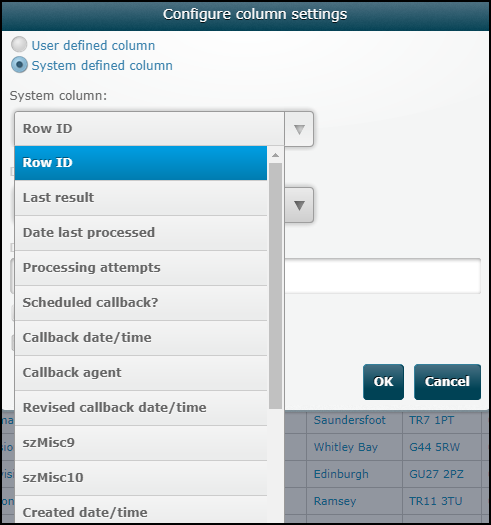
Select the required column from the list and click OK.
The column will initially show a NULL value. Once you run an outbound service that accesses this table, the column will be populated by data generated by that service.
Note: system-defined columns always reflect the outcome of the most recent call to that contact, and is therefore overwritten each time the contact is called. Where a table includes more than one telephone number for a contact, system-defined columns can be set up to record data for each number.